Import Sample Data
When starting development, it can be really useful to have some sample data to work with, and to test your application. This tutorial will walk you through importing sample FHIR data into your Medplum project to aid in building a realistic application.
The Medplum app is an administrative console, where developers can view their Medplum data, audit resource changes, and configure project settings. Most Medplum users do not use the Medplum app for patient or physician workflows, but rather build customized experiences or build on Medplum's example applications.
Read more about the Medplum App here
Download JSON Files
Below are resources belonging to two patients. This is FHIR data constructed in accordance with the USCDI Data Element standards. That means that the FHIR Resources provided are tagged with the right CodableConcepts and ontologies to match the interoperability requirements for an EHR in the US.
Download one or both of the following files:
| Data | Download |
|---|---|
| Patient 1 | Patient 1 Download |
| Patient 2 | Patient 2 Download |
Batch Upload Tool
Log into Medplum and navigate to the batch create tool. Upload the files you downloaded in the previous section.
Do not upload files twice. If you aren't sure whether the upload worked, go to the Patient page. If you see a patient there - it worked.
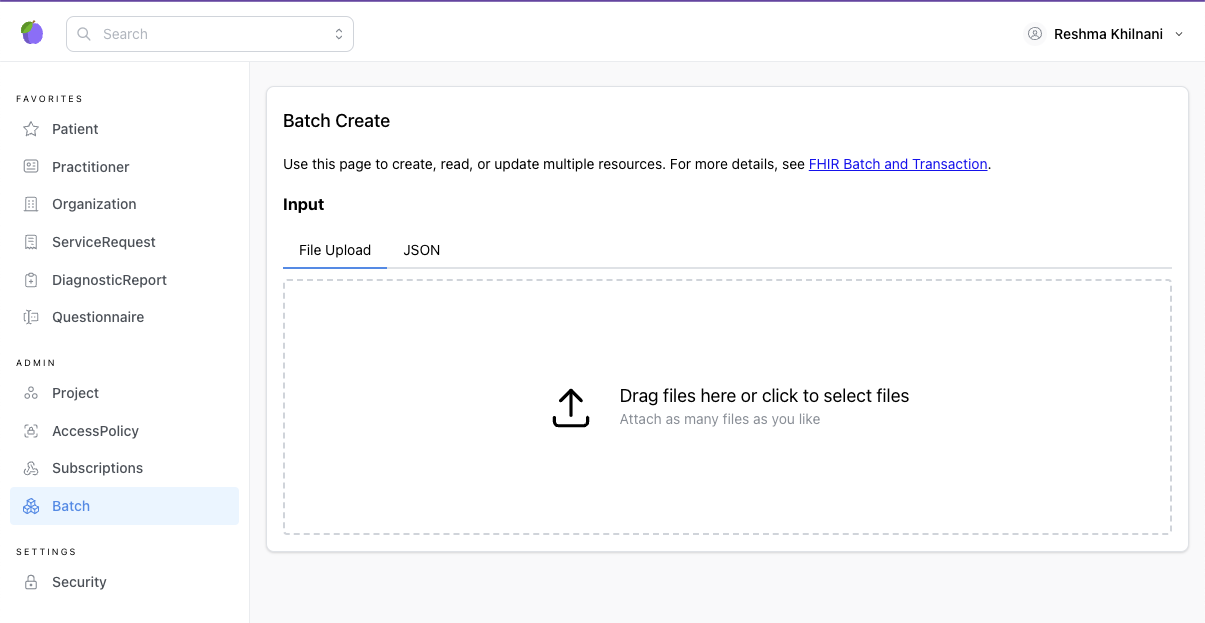
The batch upload tool is a lightweight wrapper around the batch/transaction api and here is the documentation on how to upload a batch using the SDK.
Generating More Sample Data with Synthea
The two patients above are handy for a quick start, but when you need a larger, more varied population, Synthea is a great source of synthetic FHIR data. Synthea generates realistic, statistically-modeled patient histories that you can load into Medplum the same way you loaded the files above.
You can either download pre-generated Synthea sample bundles, or run Synthea yourself to generate a custom-sized population. For a step-by-step walkthrough of generating bundles and importing them with the batch create tool, see the Getting Started with Synthetic FHIR Data guide.